
procedurallY GENERATED CITY
Here is a brief and simple technical explanation of how I procedurally generated an interactable city which features many different tunable factors like city districts and type, district count, road size, block size, building count, and more.
Unity Scripts can be found here: https://github.com/ThatGuyIO/PCG-City-Full

01
Main Roads
The first step was to generate some structure to layout of the city. This was accomplished with a Voronoi diagram, in which each cell will represent a city district. Cell borders are shown here in yellow lines.
02
District Dissection
Next was to randomly assign each district a type. The one shown here was assigned to be a city's China town. Then, each district is "shrunk," creating gaps in between all districts which will later become the city's main roads. The new district borders after being shrunk are shown in red. The last part of this step is to dissect the district into a grid, which will ultimately become the district's blocks, shown in blue.

03
Building Generation

Next, each block generates its sidewalk, and then its buildings. The height of a building is pulled from a noise map, which helps to give flowing heights through the city, amplified or reduced dependent on district type. Buildings' visuals are randomly generated, following a method which has the buildings dissected into parts. First, the building "base" is chosen, which will also choose a layout of windows and doors, as well as visuals for them at the bottom level. Next, a "midlevel" is chosen, doing much of the same, and instantiating on top of the previous level generated. The top levels are generated in the same fashion. Buildings can only generate with specific visual related to the district in which they reside. The ones shown here are in the financial district.
04
Road placement and culling
Lastly, the main road objects are placed into the world. Any block that may be overlapping a road is resized dynamically, generating polygons offset from the road which are represented as either parks or empty lots. A few can be seen in the image here, as well as the varying building heights and districts being pointed to.



05
Optimizations
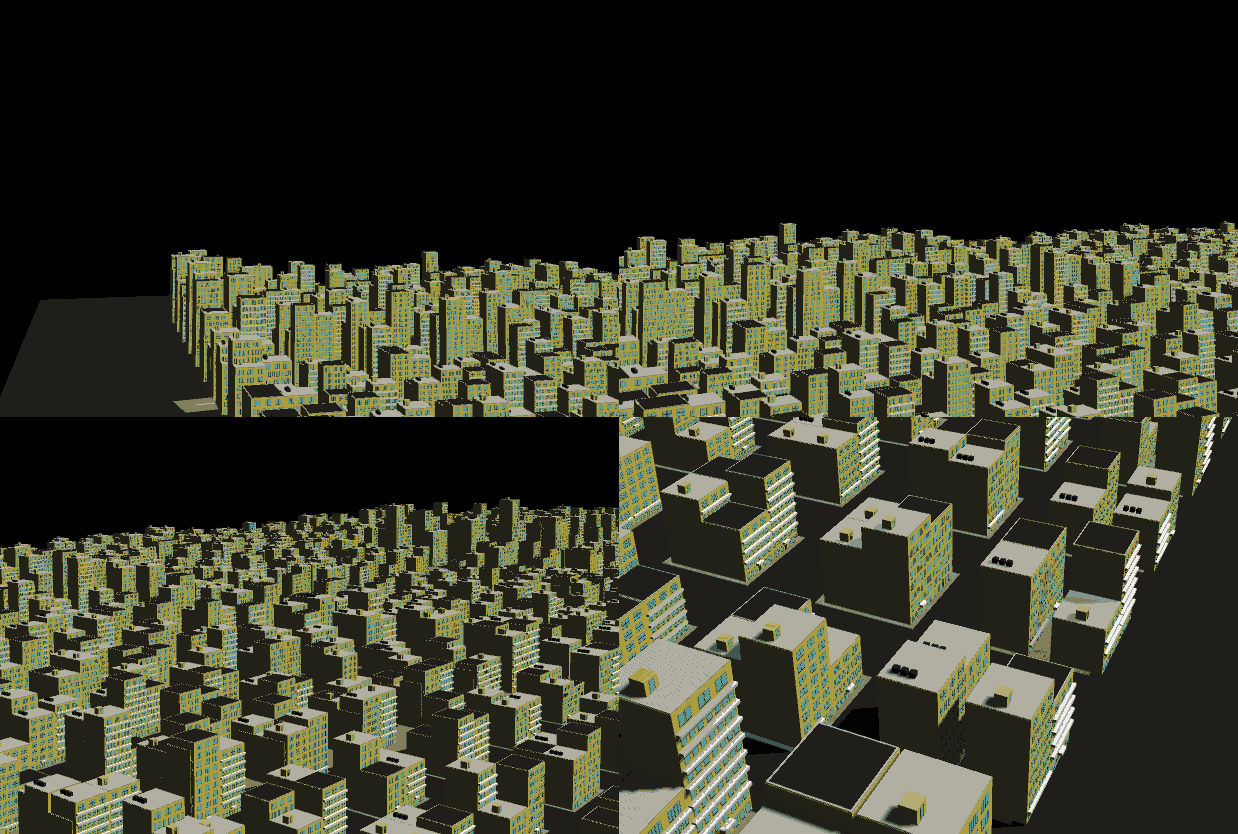
As we can see in the gif shown, rendering this city was very, very slow. It required the rendering of about 30 million triangles! Serious optimizations had to happen to really bring down the draw calls and triangle count, so here's what I did;
First, I decided that after generating each building's structure (the options chosen for each level, doors, and windows), I could combine the entire mesh into one. This caused one problem though; the buildings were now one solid color, which really put a damper on the aesthetic of the city. So instead I sorted the buildings' different parts by color, and combined them into meshes accordingly. This wasn't as good as turning every building into a single mesh, but turning it into about 6 or 7 when they were in excess of 100 was a massive improvement.
Then, because I had conveniently separated buildings out into various levels of detail simply by sorting by color, I implemented a varying Level of Detail and culling system, in that certain parts of the building (eg. certain mesh collections), simply will not render dependent on distance from the camera.
This already brought FPS from about 2 to around ~40. The last step was to stop hitting the physics system so hard, as every mesh on every building had a fitting collider, which was just unnecessary for the needs of the city. Simply removing all colliders from all of the meshes except the large parts, like the base object that the decorations are attached to, removed the majority of the colliders in the game world. This finally brought fps back up comfortably into and above the 60 fps range.